
How to Create Mockups for Custom CBD Boxes
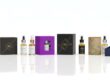
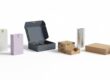
Custom CBD boxes play a significant role in how your brand looks and feels. Mockups before starting the actual production give a clear look at how things are going to look in real life. A mockup essentially shows how the design, the shape, the color, and the logo are going to turn out on a box before printing.
Mockups prevent design errors and save precious time and money. In addition, mockups are helpful in presenting ideas about packaging to the client or teams. The following guide will explain how one can easily create mockups of custom CBD boxes.
1. Understanding CBD Box Mockups
What is a Mockup?
A mockup is a digital or physical model representative of what the final product will look like. A mockup in custom packaging design helps one picture the box before printing.
Choose a material:
Packaging mockups of CBD show how the design fits on the product, where the logo appears, and how the text looks on the surface.
Why Mockups Are Important
Mockups are very helpful in checking every part of the box design before going into production. These include:
- Logo placement
- Color accuracy
- Font visibility
- Box shape and dimensions
A mockup also helps represent the idea to clients or investors more clearly. This will help in showcasing the quality and creativity of the packaging without printing hundreds of boxes.
2. Types of CBD Box Mockups
Digital Mockups
Digital mockups are designed using design software; this is how the design is showcased in 3D on the screen.
Advantages:
- They are easy to edit.
- They do not need printing.
- They save cost and time.
- They’re perfect for online presentations.
Physical Mockups
Physical mockups refer to actual samples made out of cardboard or any other packaging material. These are helpful in real-life testing of the strength, color, and texture of the box.
Physical mockups are used when showing the final version before mass production.
3D Mockups
3D mockups permit the rotation of the design from every side. They are created using 3D design software. They make for a better understanding of the depth, shadow, and fold of the box as opposed to flat images.
3. Tools to Create CBD Box Mockups
Design Software
Several free and paid tools can create professional mockups. Some of the most popular are:
- Adobe Photoshop: Best for realistic 3D designs and print-ready mockups.
- Adobe Illustrator: Great for vector-based box layouts.
- Canva: Super easy for the layman and ideal for simple digital mockups.
- Figma: Perfect for team projects and collaborations online.
- Placeit.net: Provides pre-made packaging templates for CBD boxes.
Mockup Templates
These are pre-designed mockup template box shapes where a design can be easily inserted. These box template can be downloaded from websites like:
- Freepik
- GraphicBurger
- MockupWorld
- Placeit
Using templates saves time and keeps boxes in proper proportion.
Design Assets
Design assets include brand logos, fonts, product images, and colors. Preparation of design assets in advance of mockups helps to ensure consistency in design.
4. Step-by-Step Process for Creating a Mockup of a CBD Box
Step 1: Box Design Preparation
Start with the flat box design, called the dieline. The dieline shows folds, cuts, and prints of the box. Ensure the design includes:
- Logo and product name
- Brand colors
- Legal text and ingredients
- Barcode or QR code
- Eco or safety symbols
Step 2: Select the Right Mockup Style
Choose one style in mockups that matches the type of CBD box, for example:
- CBD tincture box for dropper bottles
- CBD cream box for skin care products
- Retail shelf CBD display box
Each style has a different box shape and dimension.
Step 3: Add Design to Template
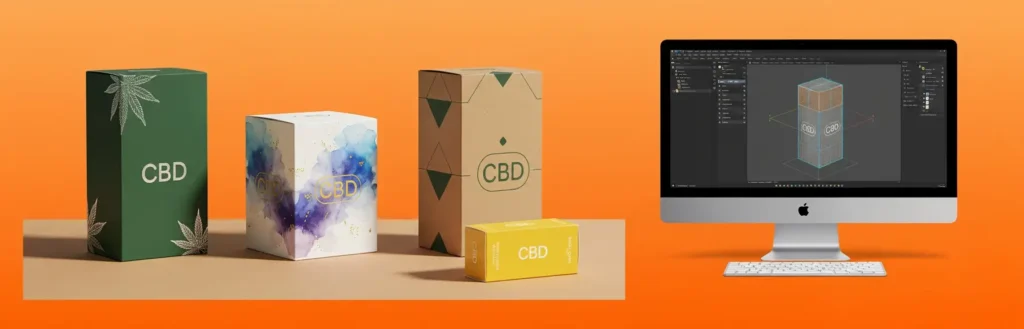
Open the mock-up template in software like Photoshop, and place the flat design in the smart layer. It will automatically wrap around the box shape in the mock-up.
This helps in visualizing what the work would look like when folded.
Step 4: Adjust Lighting & Shadows
The lighting makes mockups more realistic. Add shadows to sides or corners for depth, and adjust the brightness so the box looks natural and appetizing.
Step 5: Add Background or Setting
It’s always more attractive to see a mockup in a real environment. Just add a clean studio background or a natural one. For CBD products, nature themes involving wood, leaves, or stone will work.
Step 6: Check Every Angle
Now, visualize the mockup from multiple perspectives: front, top, and side. This helps in making sure that all of the pieces of the design can be seen and are appropriately aligned.
Step 7: Export the Final Mockup
Save the mock-up in high quality, preferably in JPEG or PNG. If this is to be presented to a client, save it in PDF format for easy sharing.
5. How to Design Realistic Mockups for CBD Packaging
Use High-Resolution Images
High-quality images make the design clear and professional, while blurry graphics can make even the best design look cheap.
Keep the Design Simple
Clean fonts and natural color palettes help minimal designs look premium, too. Avoid clutter or too many design elements.
Match Colors with Actual Printing
In actual printing, color modes should be set to CMYK in your software to ensure real colors. RGB is bright on screen, but different in print.
Add Finishing Effects
Add effects like:
- Glossy finish for shine
- Matte finish for sophistication
- Foil stamping for a luxury touch
- Embossing or debossing for texture
These effects give a realistic and high-quality feel to the mockup.
Test on Different Backgrounds
Also, try to show mockups on both light and dark backgrounds. This shows how the packaging looks in different environments, whether in a store or on a website.
6. Common Mistakes to Avoid
Ignoring Box Dimensions
Incorrect box size causes design misalignment, and it is always advisable to double-check the measurement of a product before making a mockup.
Effect Overuse
Too many shadows or reflections can make the box look unnatural. The lighting should be soft and natural-looking.
Using Poor Templates
Poor templates have uneven edges and pixelated corners. Always use a high-quality template to produce professional results.
Forgetting Legal Details
When packaging CBD, legal dosages, ingredients, and warnings are usually included. Omitting these from a mockup can cause problems later.
7. Advantages of Using Mockups with Regard to Custom CBD Boxes
Saves Time and Money
Mockups help reduce the reprints needed. Problems can be fixed before production has started, saving cost and effort.
Improves Design Accuracy
Designers can easily test colors, text placement, and images. This ensures that the box completely meets the vision when it’s printed.
Helps in Marketing
Good mockups may be used in websites, social media, and product catalogs even before the packaging is actually printed.
Makes Presentation Professional
Mock-ups allow the client, investor, or retail buyer to view what the product will look like.
8. Mockups for Brand Promotion
Social Media Posts
Mockups can be used to showcase new CBD products online. This is, in fact, more eye-catching than just a flat product image.
Website Product Pages
Realistic mockups help make product pages look polished and trustworthy, which in turn increases sales and raises brand value.
Marketing Materials
Mockups are useful for brochures, catalogs, and ads because they show the packaging even before the physical boxes exist.
9. Best Practices for Professional CBD Box Mockups
- Keep Brand Identity Strong: Every mockup should have the logo of the brand, colors, and typography clearly marked. Consistency builds recognition and trust.
- Use Natural Textures: Since CBD products relate to health and nature, mockups should show earthy and soothing color tones.
- Choose Correct Angles: E-commerce and print use work perfectly with front view, preview, and flat lay angles.
- Maintain Realistic Proportions: Allow the box to appear natural and in proportion to whatever it contains.
- Adding Shadow Depth: Soft shadows beneath or behind the box give a realistic feel and focus.
Conclusion
Custom CBD box mockup design allows one to envision and test the design the packaging will take, well before its production. One can see in a mockup how each particular element would look in the real world, from logo to texture.
Depending on the mockup tool, template, and attention to detail used, mockups can turn an ordinary box design into a powerful brand asset. Whether for presenting to clients or for running marketing campaigns, realistic mockups of CBD boxes build trust and excitement for any product.
Frequently Asked Questions (FAQs)
Q 1: What is a mockup of a CBD box?
A CBD box mockup is a digital or physical sample that shows how the packaging will look after printing. It helps check the design, colors, logo, and layout before making real boxes.
Q 2: Why is creating a mockup important before printing?
Mockups will help in finding out the design mistakes early. They show if the text, logo, or images fit in the box properly. This saves a lot of time and money in pre-production.
Q 3: Which software is useful in making mockups of CBD boxes?
Common solutions for mockups are Adobe Photoshop, Illustrator, Canva, and Placeit. These tools help to easily and quickly set up 3D mockups.
Q 4: Do mockups serve a useful purpose in online stores?
Yes, mockups demonstrate how to represent your products professionally, whether on the website or on social media. A realistic box design will make customers trust the brand more.
Q 5: Can mock-ups be used for client presentations?
Yes, mockups are good for presentations. They show how the CBD box will finally look in a store. In this way, it helps the clients make quick decisions about design.
Q 6: What kind of boxes can mockups show?
Mockups can show all types of CBD boxes, including tincture boxes, cream boxes, gummy boxes, and display boxes. Each mockup type helps match the box shape to the product.
Q 7: How can a realistic mockup improve brand image?
A clear, realistic mockup is indicative of a professional brand identity. It allows customers and clients to understand that the packaging is genuinely well-designed and high-quality.
Q 8: Can mockups show textures and finishes?
Yes. Mockups can show matte, glossy, foil, or embossed finishes. These effects help to present how the final printed box will look and feel.
Q 9: Is it possible to do mockups without design skills?
Yes, easy design tools such as Canva and Placeit have ready-to-use templates. The designs can be created rather quickly by uploading images and logos into the templates.
Q 10: Are mockups only for big brands?
No, mockups are great for businesses of any size. Even a new CBD brand will be able to use mockups in order to test ideas, attract customers, and refine packaging before printing.